


DNS Based Traffic Split Mechanism #
The traffic split in Flumotion Smart Multi CDN is based on DNS. Let’s delve into how this traffic split functions. To understand this, let’s first look at how a typical website or service functions today.
When an end user, such as a person browsing www.helloworld.com, initiates the process, their browser or end-user machine sends a DNS resolution request. This request translates www.helloworld.com into a specific IP address.
The DNS, managed by the content provider of the website (in this case, helloworld.com), dictates how to handle and serve website traffic. In most cases, the DNS configuration for helloworld.com includes a CNAME record that points to one of the CDN providers, such as Akamai, Fastly, or CloudFlare.
When a DNS resolution request for helloworld.com arrives, it’s directed to the CNAME of the specific CDN provider. This CDN provider, based on the end user’s location, returns the IP address of the edge server to which the browser should send the request to access the content of www.helloworld.com.
Flumotion Smart Multi CDN’s Role #
Flumotion Smart Multi CDN introduces its own CNAME, which is managed through a high-availability DNS solution. It relies on premium vendors like Route 53 (R53), NS1, and others. As the owner of your domain, you define the CNAME to point to Flumotion Smart Multi CDN.
Flumotion Smart Multi CDN uses traffic split functionality to decide which CNAME should be used for a particular geolocation. For instance, in Germany, Flumotion Smart Multi CDN might define its CNAME to point to Akamai, while in Australia, it could point to CloudFlare. This logic is dynamic and managed by Flumotion Smart Multi CDN based on the traffic split conditions and policies defined by you.
Flumotion Smart Multi CDN ensures that, in any geolocation at any given time, the appropriate CNAME is utilized. This is how Flumotion Smart Multi CDN controls which CDN serves the traffic for your end users in any location at any moment.
Managing Traffic Policies #
When you access the Flumotion Smart Multi CDN management console, you’ll see a list of your services, and each service will have an associated CNAME that you should use in your domain to allow Flumotion Smart Multi CDN to control which CDN is used to handle the traffic in specific geolocations.
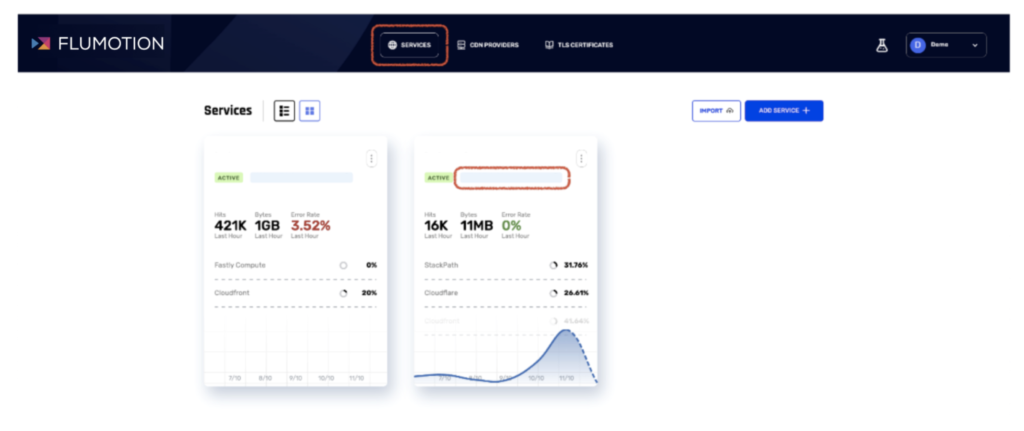
To configure the traffic split in Flumotion Smart Multi CDN, the first step is to define which providers you wish to work with.
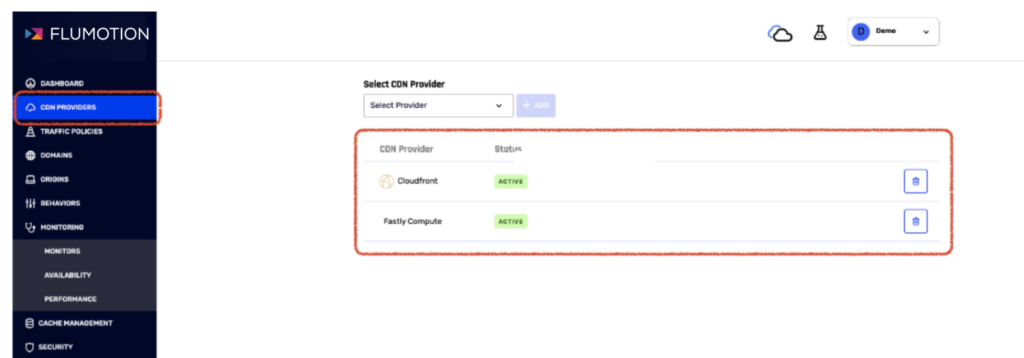
After configuring these providers, you’ll manage traffic policies in the «Traffic Policies» tab. Here, you’ll find a list of policies that determine how your traffic is distributed among various providers across the world.
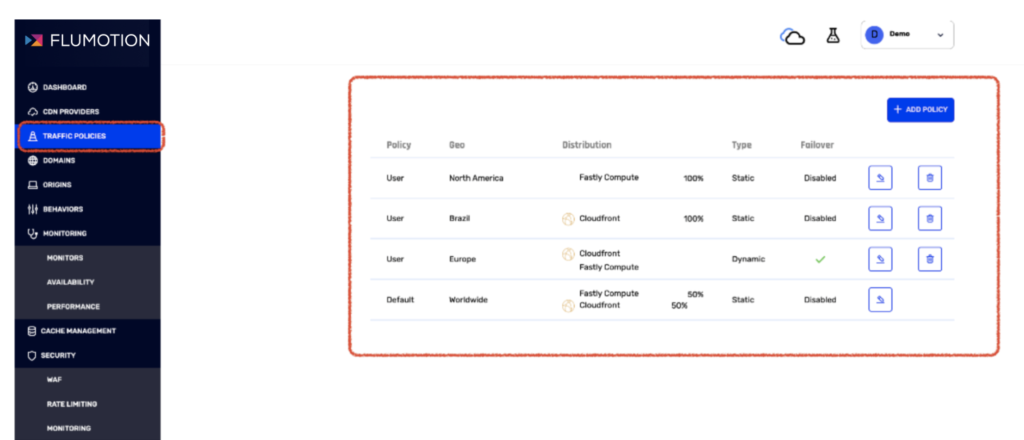
The first entry in this table is the «Default Policy,» which sets the default behavior for traffic splitting. If there are no other policies for a specific geolocation, the default policy’s definitions will be applied.
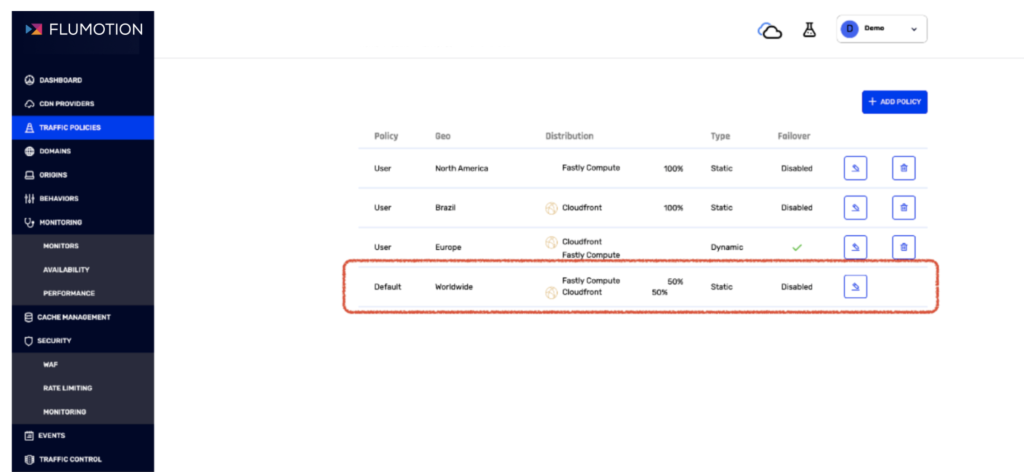
You can create additional policies for specific geolocations and override the default settings. Flumotion Smart Multi CDN offers three primary policies:
Static Policy: This policy allows you to statically define the traffic distribution percentages among different vendors based on predefined percentiles. You can set, for example, 80% to one vendor and 20% to another, or any other distribution that suits your requirements.
Performance Policy: Flumotion Smart Multi CDN actively monitors the performance of CDN providers globally for your website/service through custom agents located around the world and third-party tools like CatchPoint. By using the performance policy, Flumotion Smart Multi CDN ensures that it routes traffic to the CDN with the best performance in each geolocation, minimizing latency.
Cost-Based Policy: This policy enables you to prioritize CDN providers based on cost considerations. You can specify the order in which providers should be used, taking into account factors such as price differences. It ensures that, within defined performance thresholds, the preferred CDN is selected.
The cost-based policy also supports commitment considerations. If you have existing commitments with some CDN providers, you can specify the level of commitment for each provider. The cost-based algorithm will then take these commitments into account when prioritizing traffic.
Failover and Monitoring #
Flumotion Smart Multi CDN allows you to enable failover. If a provider becomes unavailable (globally or in specific geo-location), the system will automatically switch to an alternative provider as per your defined policies. Once the original provider is available again, the traffic will revert to its original routing, adhering to your policies.
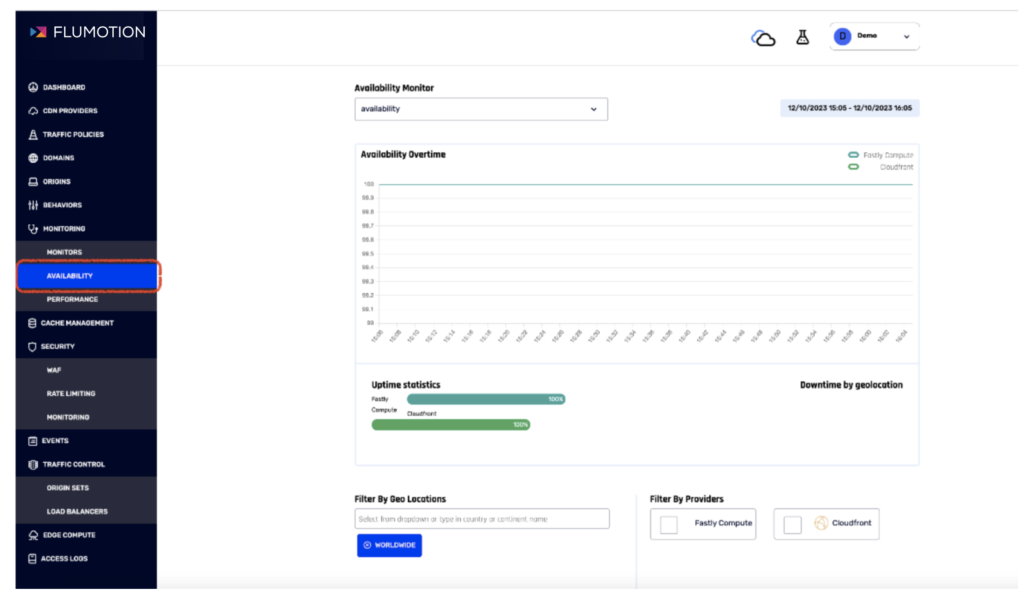
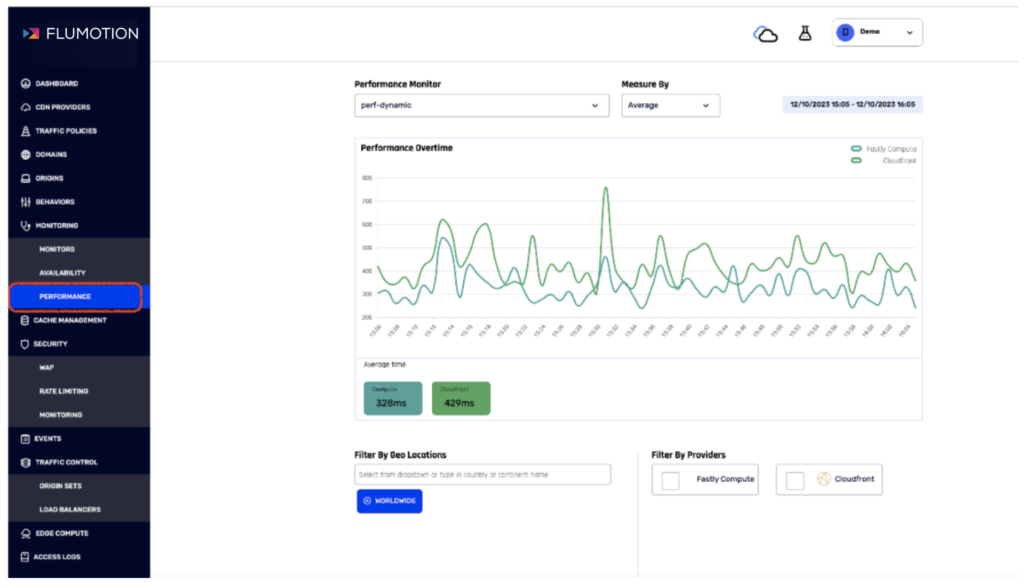
To manage availability and performance, you can define availability and performance monitoring. You specify URLs that represent your service, and Flumotion Smart Multi CDN continuously monitors performance and availability worldwide. Decisions to shift traffic are made based on the results of these monitoring processes.
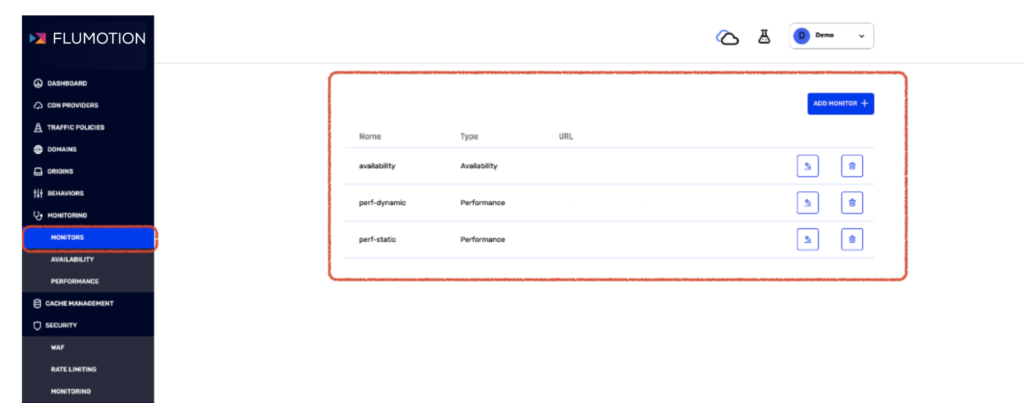
You have complete visibility into the availability and performance data of your providers from different geolocations and over different time periods, enabling comparisons between different providers.
In Conclusion #
Flumotion Smart Multi CDN provides an efficient way to manage traffic by splitting it between multiple vendors to optimize costs and performance. It ensures 99.999% uptime for your service, regardless of the CDN providers you use.